Free kids' games that run in the browser with no download do exist, and some are very good: PBS Kids Games, CBeebies Games (BBC), the Sesame Street games, Starfall, ABCya, Poki (with an ads caveat), Toca Boca (with the caveat that it is a paid app) and our own Dogavios game, Pigúiça and the Dreams, which runs in the browser with no sign-up, no ads and no purchases. Below are the criteria we use to call a game safe for kids aged 3 to 8 and what each option actually delivers.
What makes a browser game safe for kids
Before the list, let's agree on what we are judging. A game can be free and still be a terrible choice for a 4 year old. These are the points we check:
- No ads, or tightly controlled ads. Banners and videos between levels pull the child out of the game and often lead to content that is not for kids.
- No chat with strangers. Any game with open chat is out for this age group.
- No in-game purchases. No coins, no passes, no buy button a child could press by accident.
- No sign-up. If it asks for an email or creates an account, it is not something the child should use alone.
- Simple controls. Arrows, space bar or click. At age 3, the fewer buttons, the better.
- Short sessions. Games that close a loop in a few minutes make stopping easier.
The 8 options, with the caveats for each
- 1. PBS Kids Games. The US public broadcaster's portal with games featuring well-known characters, free and ad-free. Most of them run in the browser. Caveat: it is built for US preschoolers, so some games tie into shows your child may not know yet.
- 2. CBeebies Games. The BBC's children's section, also free and ad-free, with games linked to the channel's shows. Caveat: some content may not be available outside the UK.
- 3. Sesame Street. The official site has simple games with Elmo, Cookie Monster and friends, aimed at the preschool range. Caveat: the catalogue changes over time, so check what is currently online.
- 4. Starfall. A reading and math site widely used in English-speaking classrooms. Part of it is free and runs in the browser. Caveat: the full content requires a subscription.
- 5. ABCya. A collection of educational games organized by grade. Caveat: the free browser version shows ads; the ad-free version is paid.
- 6. Poki. One of the biggest browser game portals in the world, with a kids' section. Important caveat: it has ads, and not every game on the portal is for young children. Use it only with an adult picking the game and staying nearby.
- 7. Toca Boca. The Swedish studio known for pretend-play games such as Toca Boca World. Caveat: these are apps, not browser games, and most of the content is paid. It is on the list because so many people ask, and it helps to know the difference.
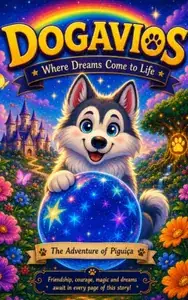
- 8. Dogavios game, Pigúiça and the Dreams (ours). A light platformer in which Pigúiça, a husky puppy, collects stars across four biomes. It opens right at /jogo.html, no install, no sign-up, no ads, no purchases. Controls: arrow keys to walk and jump. We are biased, so the suggestion is simple: open it and test it with your child.